
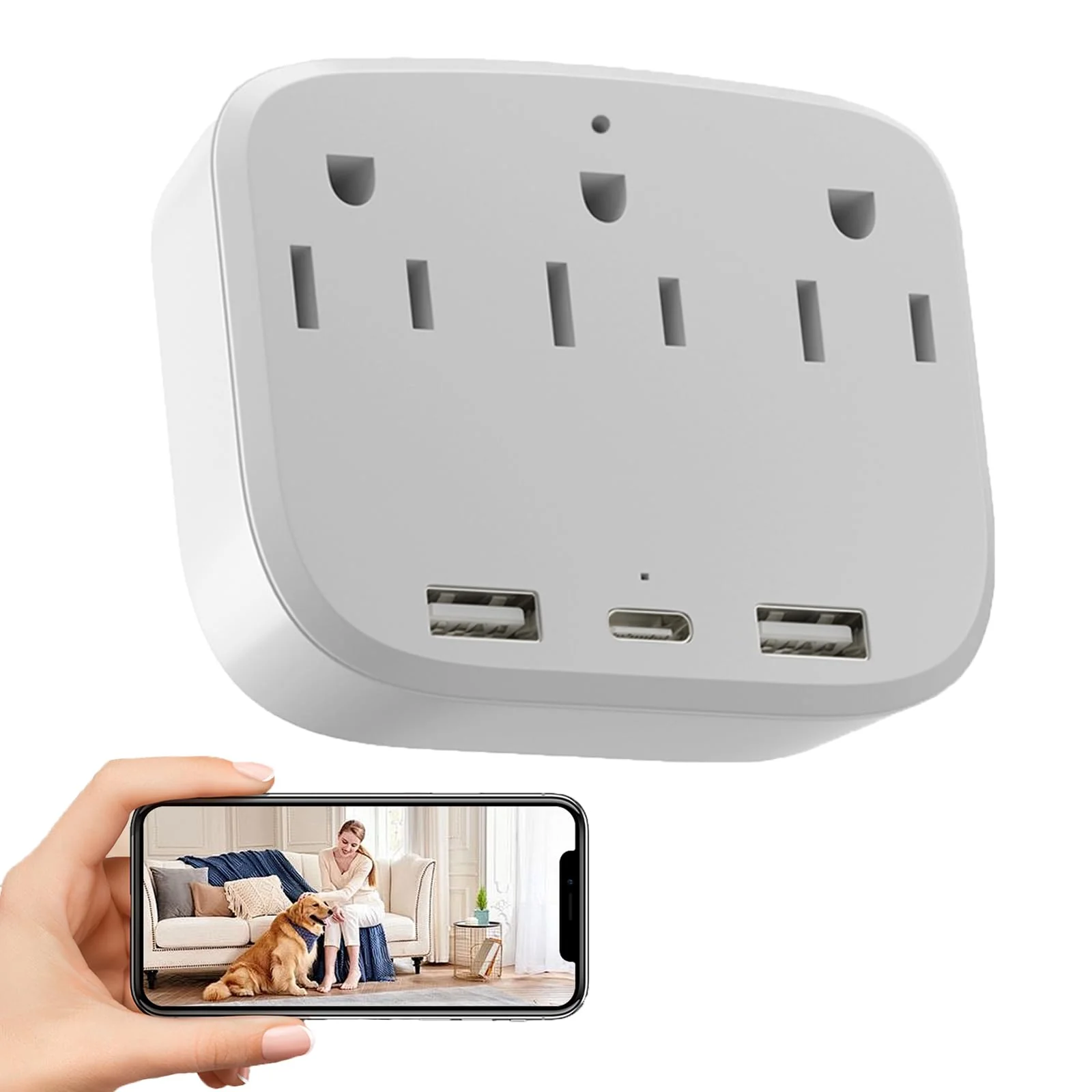
Reusable ULar 4K Outlet Camera Wall Charger — Pet Monitor Motion Alerts Local Cloud Storage No Audio Pure
Overview Meet the ULar 4K Outlet Camera, a compact indoor camera that doubles as a wall chargerIt delivers daylight 4K...
Details
Overview Meet the ULar 4K Outlet Camera, a compact indoor camera that doubles as a wall charger
It delivers daylight 4K clarity with a wide 100-degree field of view, so you can observe pets and room activity in crisp detail
Designed for well-lit environments, this model emphasizes daytime viewing and does not include night vision or built-in audio
Crystal-clear daytime footage you can rely on In bright rooms, the camera renders colors with fidelity and captures subtle movements— for watching a playful cat, curious puppy, or family activity as it unfolds
The broad angle helps you cover more space without constant repositioning
Ultra HD 4K image quality for sharp details 100° wide-angle view for broad coverage Daylight-focused surveillance with true-to-life colors Smart, adaptable monitoring The camera includes Motion Detection with adjustable sensitivity and customizable detection zones
When motion is detected, you’ll receive clips and screenshots in time, helping you stay aware of what matters most without excess notifications
Motion detection with adjustable sensitivity Customizable detection zones to focus on key areas -time clips and screenshots when activity is detected Local storage via SD card (card not included) and optional cloud storage Loop recording to automatically overwrite old footage Share access with 3–5 family members Connectivity, power, and everyday convenience Enjoy a stable connection over 2
4G WiFi6 for remote viewing from anywhere
If you’re near the camera, AP hotspot mode lets you connect directly without a network
The outlet design includes Type A and Type C ports so you can charge multiple devices while you monitor
Reliable 2
4G WiFi6 for remote viewing AP hotspot mode for direct local setup Dual USB-C and USB-A charging ports for multiple devices Share access with 3–5 users for family monitoring Setup at a glance Follow a straightforward setup path to get started quickly
Prepare an SD card, insert it, power on the camera, then use the ULar app to add the camera with the smart scan mode
A code shown in the app pairs with the device, after which you can set a password and begin remote viewing
Note: This model emphasizes daylight use and does not include night vision or audio capture, which may fit privacy goals or specific lighting setups
FAQ Q: Does ULar 4K Outlet Camera work without a separate Wi‑Fi network
A: Yes—AP hotspot mode provides a direct local connection without needing an internet network
Q: Can I store footage locally without a cloud subscription
A: Yes, it supports local SD storage and optional cloud storage via subscription
Related
ProductsCum doctus civibus efficiantur in imperdiet deterruisset.




-
Free Shipping
Free Shipping On All Order
-
Secure Payment
All Payment Method are accepted
-
Online Support 24/7
Technical Support Stand By